Controls and UI in +1 Stickman Evolution
Click, tap, menus, and skills — the full interface map for Roblox PC and mobile.
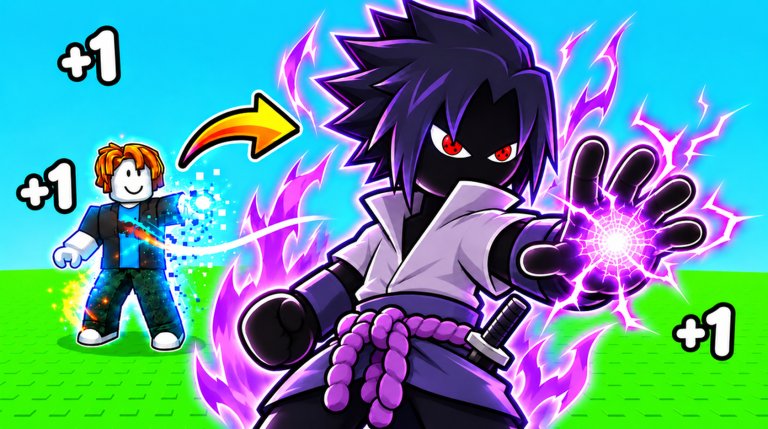
+1 Stickman Evolution is a Roblox incremental clicker from the Leveling. group. Progression is deliberately simple: you click or tap to gain Strength, fight enemies for Wins, open menus for Stickmans, pets, rebirth, and codes, and use two skills on every equipped Stickman. This controls and UI guide maps every important surface so new players stop hunting for buttons and veterans can onboard friends faster after the World 4 update.
If you have not finished the tutorial yet, pair this page with Getting Started. Redeem working codes from the Codes Hub through Settings before a long farm. For world goals and badges, jump to Worlds Progression and Badges.
Primary input — click / tap for Strength
The core loop is click-based. On desktop, left-click (or hold click if the client registers continuous input) to stack Strength. On mobile and tablet, tap or hold the playfield. Each successful click adds +1 Strength before multipliers from rebirth, pets, friends, and timed codes. Strength is the gate for harder enemies; Wins come from clearing those enemies. There is no separate “train zone” hotkey beyond interacting with the main combat / click surface the tutorial highlights.
Tip: Redeem timed Strength codes such as 3KCCU from Codes right before a focused click session. Timed Wins codes such as WORLD4 matter most when you are actively clearing stages, not while staring at menus.
Settings cog — codes and options
The Settings control sits in the top-right of the HUD. Open it to:
- Find the Enter code field.
- Paste a case-sensitive code (
WORLD4,STICKMAN,3KCCUwhile active). - Press REDEEM and confirm the reward toast.
Full troubleshooting lives on How to Redeem Codes. Settings may also expose audio, graphics, or account-facing toggles depending on the live build — always look for the code box at the top of that panel after World 4-style patches.
Stickman menu — unlocks and equip
Open the Stickman / character shop or roster UI (on-screen button introduced in the tutorial) to browse unlocks. Each Stickman is stronger than earlier ones and grants two unique skills. Equip the Stickman you want for the current world before you start a farm block. Ranked picks live on Best Stickmans and the deeper Skills and Stickmans guide.
UI habit: After every unlock, confirm the Stickman is equipped, then glance at the skill buttons so you know which two abilities just changed.
Skills — two abilities per Stickman
Once a Stickman is equipped, two skill controls appear on the HUD (positions can shift slightly by device). Tap or click each skill when off cooldown during fights. Skills are the difference between slow chip damage and clean stage clears, especially from mid-game into World 4. Practice both skills on easy enemies so the timing is automatic before Trickster God–tier fights described in Badges.
Pets and eggs UI
Eggs cost Wins. Open the egg / pet panel, select an egg you can afford, hatch, then equip the strongest pets from the result. Prefer one strong hatch over many weak ones when Wins are tight. Detailed economy notes are in Pets and Eggs; rankings are on the Pets Tier List. The Arcane Egg badge tracks deeper egg progress — treat the pet UI as both power and badge progress.
Rebirth button
The rebirth control appears when you meet the game’s rebirth requirements. Confirming rebirth trades short-term progress for a lasting Strength multiplier. Do not mash rebirth the moment it lights up if you are one Stickman or egg away from a faster next cycle. Read How to Rebirth before spending a Rebirth Skip from codes.
Friends, servers, and Strength aura
Servers hold up to 10 players. Each friend in your server grants roughly +10% Strength. There is no separate “party skill” key — the bonus is presence-based. Join friends from the Roblox friends list / server browser before long farms. Competitive habits and leaderboard context sit on the Players Hub.
PC versus mobile differences
| Surface | PC | Mobile |
|---|---|---|
| Strength | Mouse click / hold | Tap / hold |
| Skills | Click skill buttons | Tap skill buttons |
| Settings / codes | Top-right cog | Same cog, larger tap target |
| Menus | Click Stickman, pet, rebirth panels | Tap the same panels |
| Precision | Easier multi-menu juggling | Keep UI scale readable; avoid fat-finger redeem typos |
Roblox itself handles camera and movement defaults. This experience is not a parkour fighter — if you feel lost, return to clicking Strength and opening the tutorial-highlighted buttons rather than searching for WASD combos that do not exist.
HUD checklist every session
- Confirm you are in a server with friends when possible (+10% Strength each).
- Open Settings → redeem any new codes listed on Codes.
- Equip the best Stickman for your current world; note both skills.
- Hatch or equip pets if Wins allow.
- Start clicking under timed Strength buffs; clear enemies under timed Wins buffs.
- Check rebirth only when clears stall — see How to Rebirth.
- After patches, skim Updates and World 4 notes in case menus moved.
Common UI mistakes
Redeeming codes with the wrong case. Leaving a new Stickman unequipped after purchase. Ignoring skill buttons entirely. Opening eggs during a timed Wins boost you meant for stage clears. Rebirthing while a Strength multiplier code still has minutes left. Playing solo when friends are online. Assuming mobile lacks features — it uses the same systems with touch targets.
Related pages
- Getting Started — day-one order of operations.
- Skills and Stickmans — how dual skills change clears.
- Badges — Welcome, Trickster God, Arcane Egg.
- Guides Hub — full how-to index.
- Wiki Links — official Roblox place and Leveling. group.
Master the UI once, and every later guide becomes faster to execute. Controls in +1 Stickman Evolution stay simple on purpose — the depth is in when you click, which Stickman you equip, and how you spend Wins, not in memorizing a twenty-key hotbar.
Frequently Asked Questions
Quick answers for +1 Stickman Evolution players.
What are the controls for +1 Stickman Evolution?
Click or tap to gain Strength, use on-screen buttons for skills, Stickmans, pets, rebirth, and open the top-right Settings cog for codes. Full UI map is on this Controls guide.
Where is the code redeem box?
Open the Settings cog in the top-right, find Enter code, paste exactly, and press REDEEM. Details are on How to Redeem Codes.
How do Stickman skills work on mobile?
Equip a Stickman, then tap the two skill buttons on the HUD when they are off cooldown. Practice on easy enemies before hard badges.
Is there a keyboard combat combo list?
No deep hotbar is required. Progression is click/tap plus menu buttons. See Getting Started for the day-one loop.
Do friends need a party key for the Strength bonus?
No. Being in the same server (up to 10 players) grants about +10% Strength per friend. Tips are on the Players Hub.